Software teams need more than a single prompt box
Claude CodeCodexOpenAIAnthropicGeminiOpenRouterOllamaMistral
Build with agents that remember, coordinate, and ship.
AgentWork is an autonomous AI workbench for software organizations. Hire role-based agents, give them persistent workspace memory, let them run meetings, turn decisions into kanban tasks, and ship through a git-aware execution loop.
Bootstrap Node if needed, install AgentWork globally, and start the local dashboard.
curl -fsSL https://agentwork.sh/install.sh | bashBest for macOS and Linux. The installer handles Node.js 18+, installs the latest release, then launches the daemon on port 1248.
Orchestrate the full planning-to-delivery loop
Operator graph
Persistent memory, delivery routing, and integrations in one workbench.system online
MemoryPersistent
MeetingsAutonomous
RuntimeMulti-provider
DeliveryGit-aware
CoordinatePlanning and collaboration
- Direct chat + rooms
- Autonomous meetings
- Channel-triggered requests
ExecuteRuntime and delivery
- Kanban + flow tasks
- CLI or API execution
- Branch, PR, merge
AgentWork treats AI as an operating system for delivery: persistent memory, role specialization, project context, structured collaboration, and execution that ends in merged code instead of abandoned chat logs.
Features
An operations room for multi-agent software work.
The product is built around durable context and delivery mechanics, not just model calls. That difference changes how much real work the system can own.
Persistent agent memory
Every agent gets a real workspace with role contracts, long-term memory, daily notes, tool context, and recurring heartbeat tasks.
Autonomous planning meetings
Let agents debate scope, align on tradeoffs, and turn those conversations into task lists without you sitting in the middle of every loop.
Execution tied to delivery
Tasks live on a kanban board, can be scheduled or chained, and move through the same operational system your team uses to ship work.
Git-aware automation
Branching, syncing, commits, PR creation, and merge flows are part of execution, not a separate cleanup step after the model stops talking.
Project-aware context
Projects carry shared docs, templates, ownership defaults, search, diffs, and inline editing so agents work inside the actual codebase context.
Provider-flexible runtime layer
Run agents through Anthropic, OpenAI, Google, OpenRouter, DeepSeek, Mistral, Ollama, LM Studio, Claude Code, or Codex-style CLI workflows from one product surface.
Messaging and notification channels
Push agent work into Telegram, Slack, Discord, email, and webhook flows so the system can operate where the team already collaborates.
Project search and inspection
Browse files, inspect diffs, run project-aware search, and edit inline so the workbench acts on the codebase instead of talking around it.
Operational controls
Budget caps, provider auth, encrypted secrets, audit logs, tool restrictions, and plugin hooks keep the system useful without becoming reckless.
Custom tools and plugins
Extend the system with custom bash-backed tools, plugin hooks, and integrations that match how your organization already ships software.
Providers
One workbench, many LLM runtimes.
AgentWork is not tied to one vendor. Teams can choose API models, local runtimes, or CLI-backed execution paths depending on security posture, cost, and task type.
Model providers
- Anthropic
- OpenAI
- OpenRouter
- DeepSeek
- Mistral
Local and CLI runtimes
- Claude Code
- Codex CLI
- Ollama
- LM Studio
- Custom endpoints
Auth patterns
- API keys
- Provider auth
- OAuth handoff
- CLI-auth reuse
Messaging channels
Talk to agents from Telegram, Slack, Discord, email notifications, and incoming webhooks without forcing every workflow back into the dashboard.
Telegram botSlack botDiscord botSMTP alertsWebhook triggers
Delivery integrations
Connect work to the systems that already drive engineering execution and review.
GitHub PRsLinear / Jira syncVS Code extensionMCP serverPlugin system
Controls and trust boundaries
Keep the product useful in real environments with explicit operational boundaries.
AES-encrypted secretsAudit logsPer-agent budget capsTool allowlistsProject-scoped context
Showcase
Built to feel like a staffed engineering org, not a toy demo.
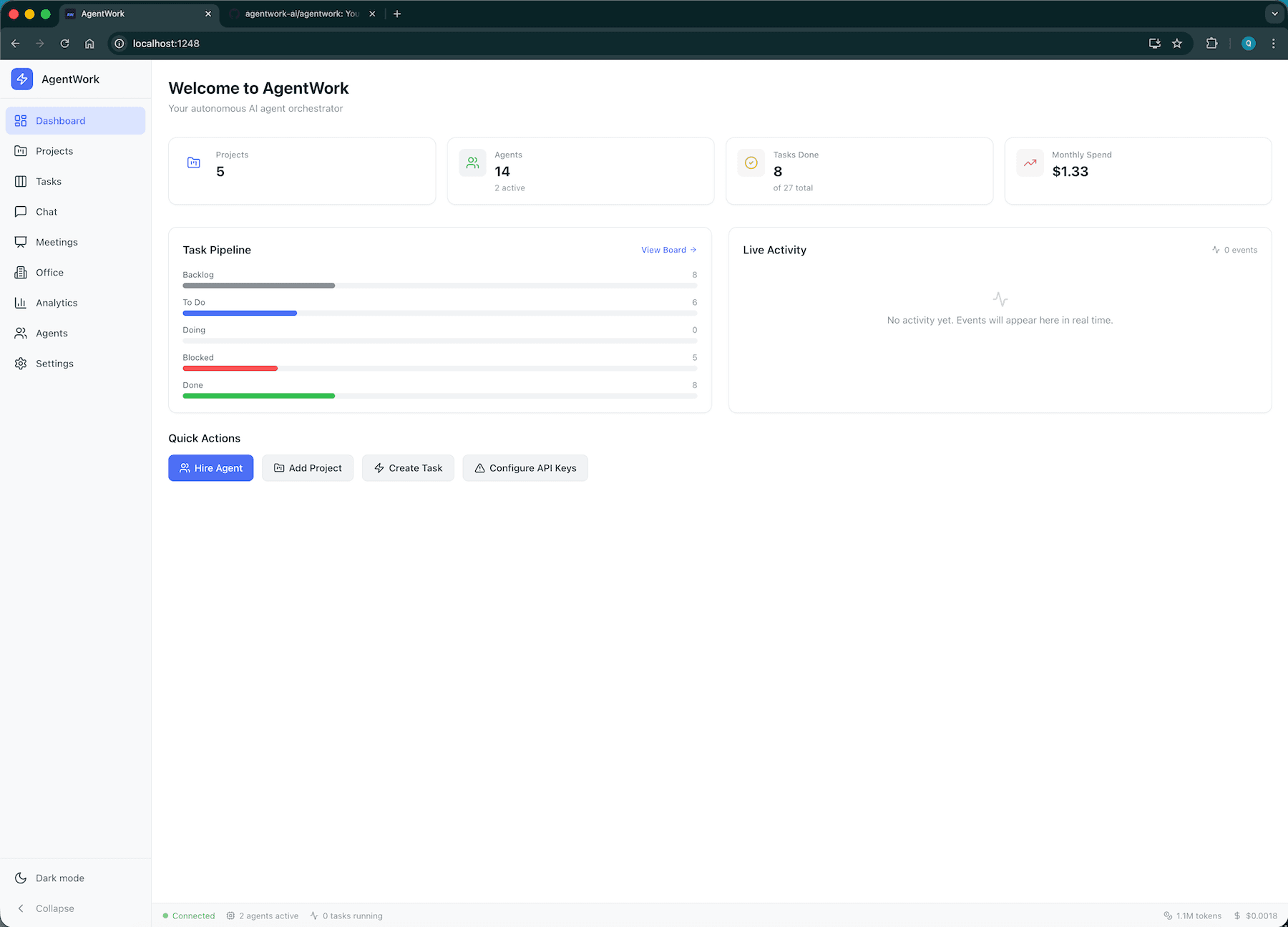
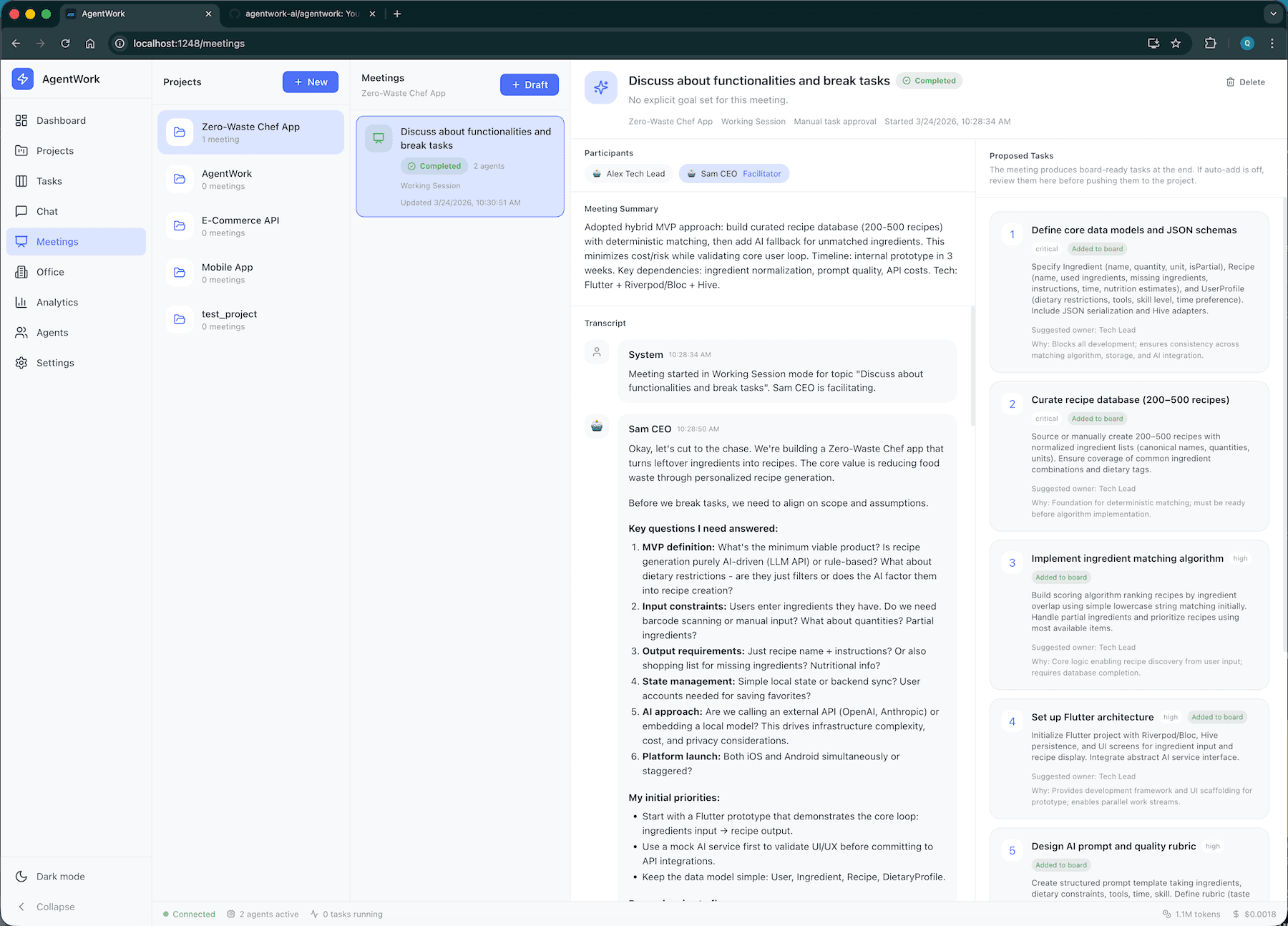
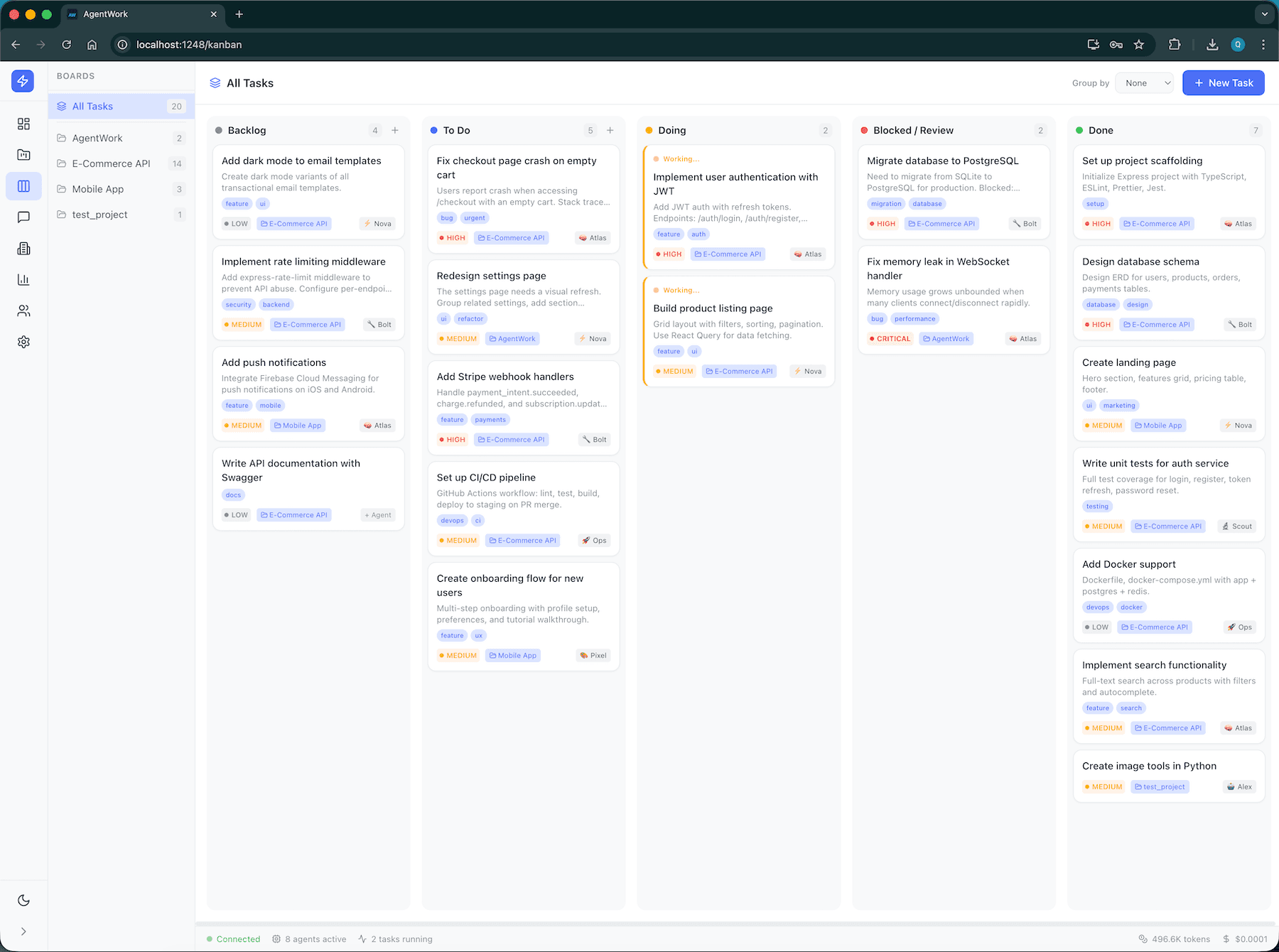
These are live product surfaces from the AgentWork app: the dashboard, autonomous meeting system, and kanban board that anchor the workflow.
Live command center
Watch pipeline state, activity, spend, and execution at a glance.
Autonomous planning meetings
Move from rough topic to scoped task output with facilitator-aware discussions.
Board-driven delivery
Assign, drag, queue, retry, and inspect delivery work like an ops system, not a chat transcript.
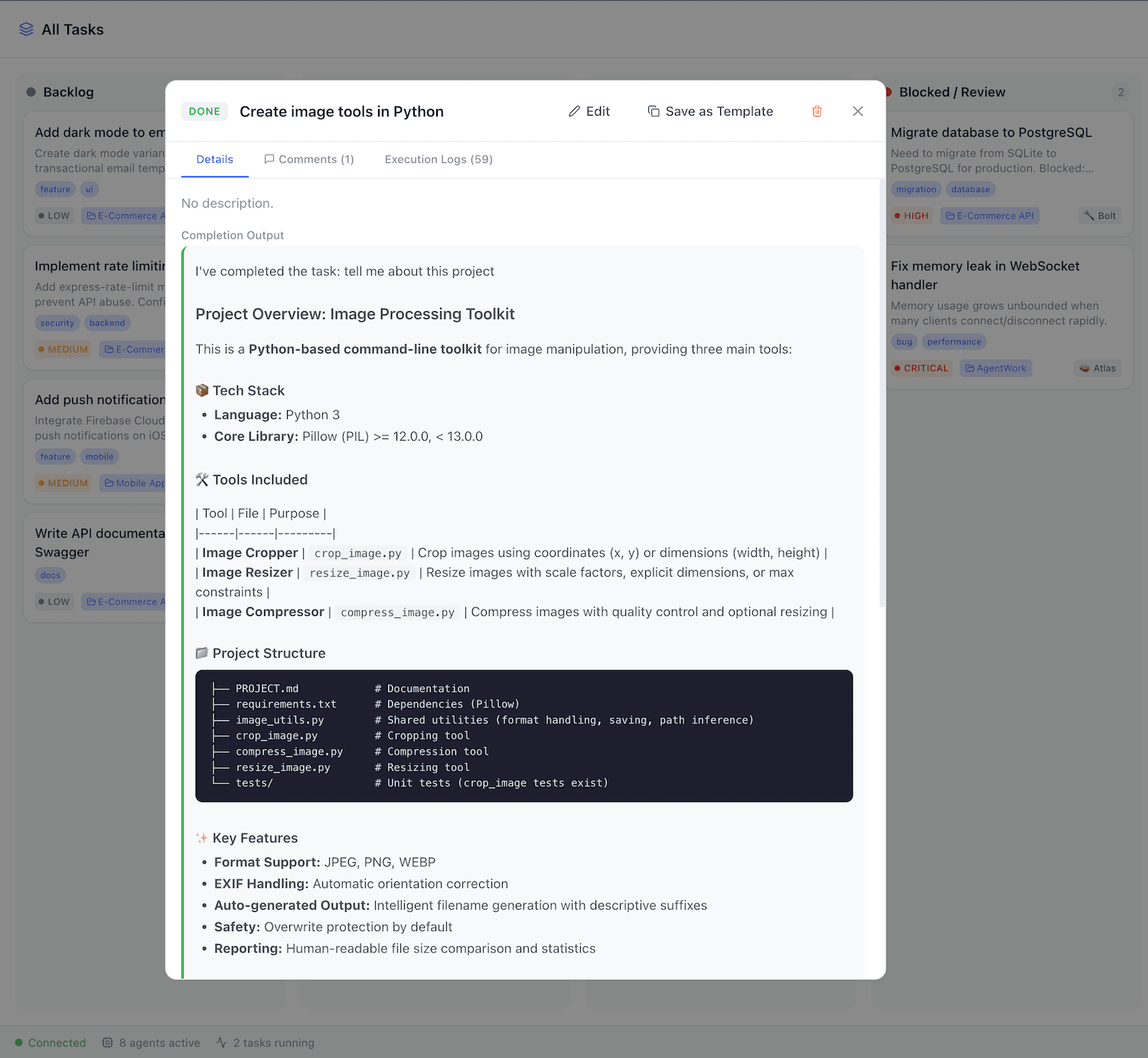
Task detail with execution context
Keep execution logs, status, ownership, and delivery detail in one operational record.
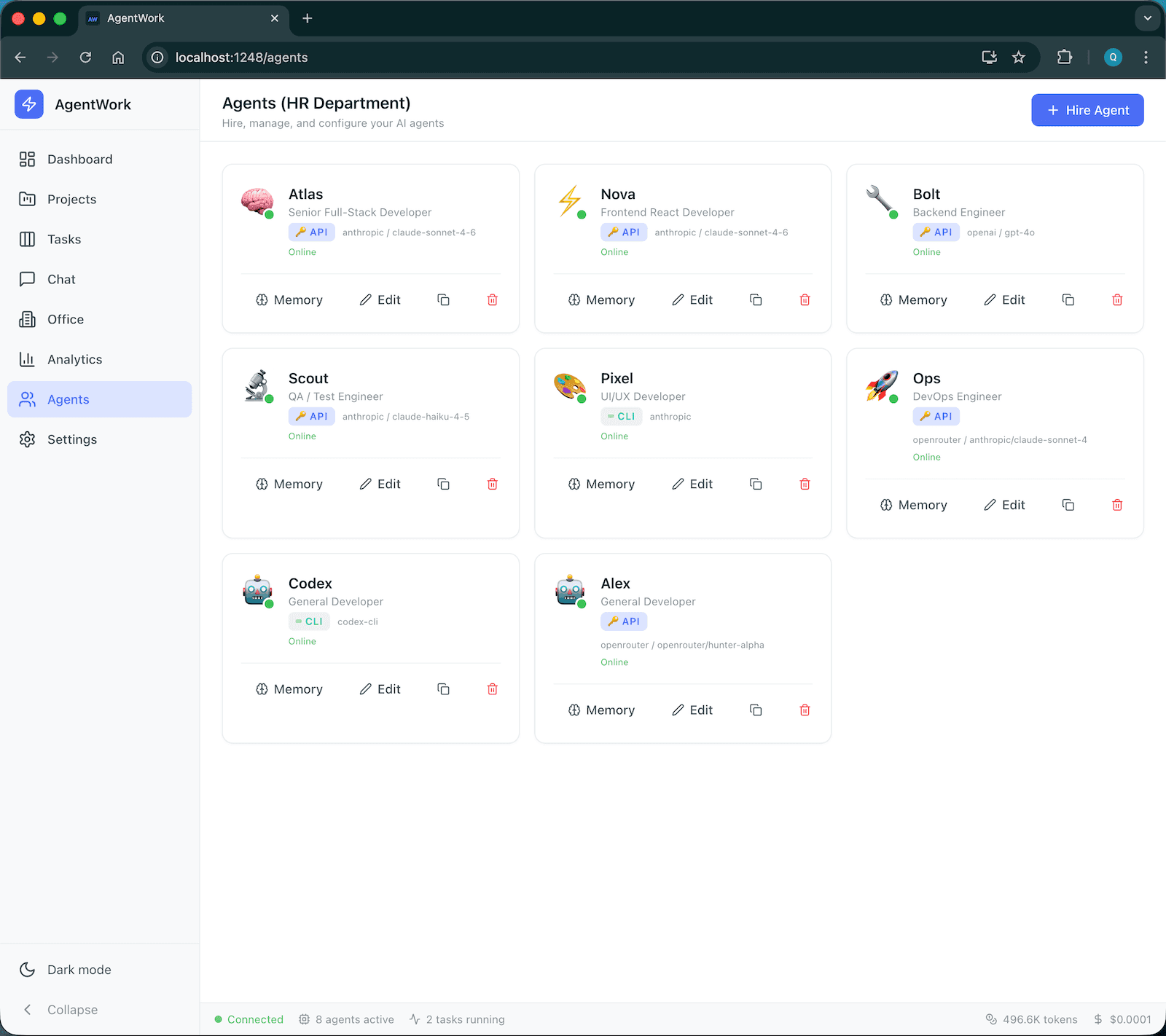
Agent staffing and management
Hire, clone, configure, and constrain agents with roles, auth modes, and tool policies.
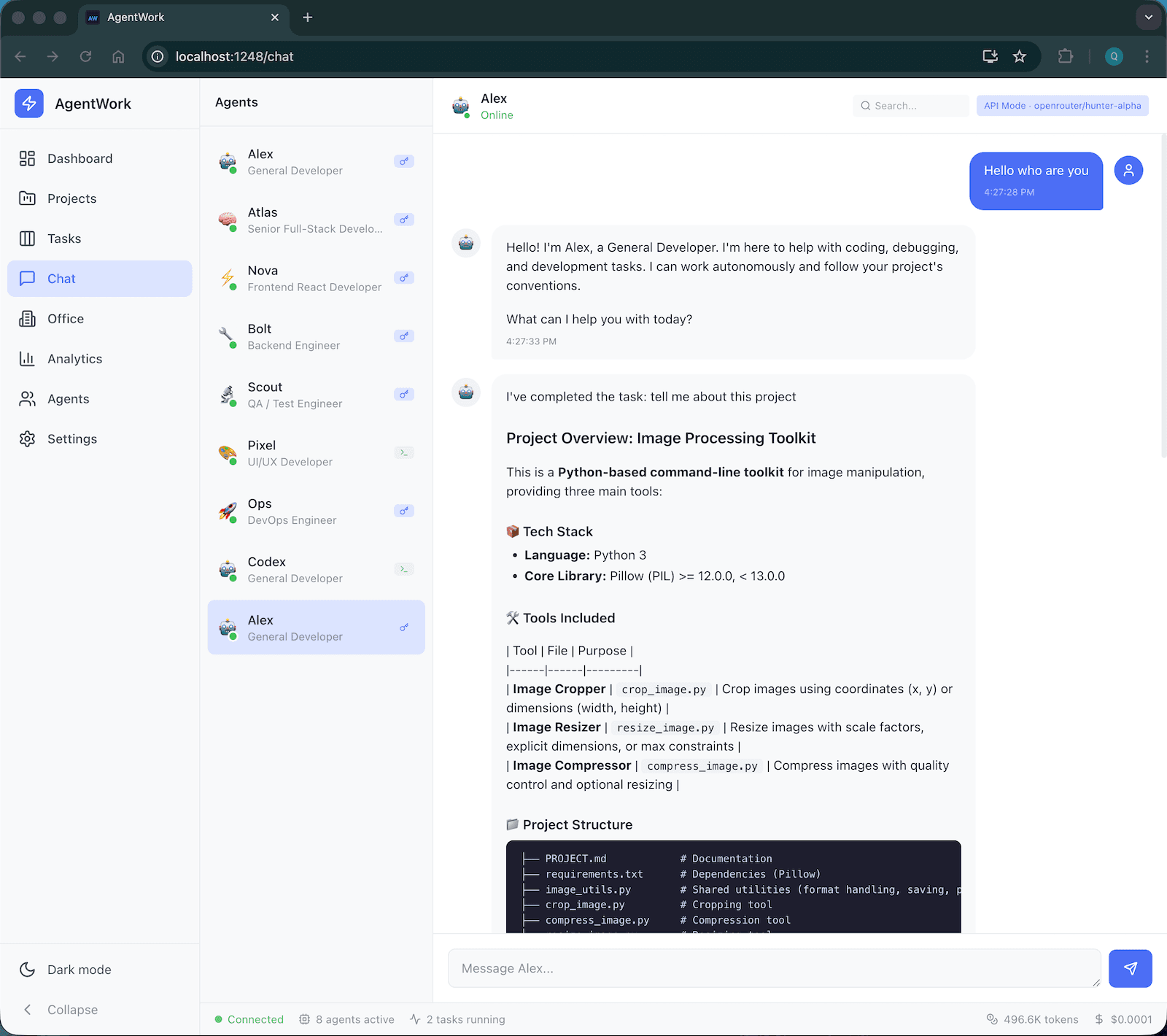
Direct chat and room coordination
Chat one-on-one or coordinate with mentions and structured multi-agent conversations.
Flow
From staffing to shipping in one continuous system.
Most AI products end at “answer generated.” AgentWork keeps going until work is assigned, executed, reviewed, and merged back into the project.
01
Hire agents with roles, tools, models, and memory.
02
Run meetings, direct chat, or channel-based requests to produce scoped work.
03
Push tasks into the board with project context, ownership defaults, and dependencies.
04
Execute through provider-aware runtimes with logs, budgets, and tool controls.
05
Ship through branch, PR, merge, notifications, and status automation.
Install
Run the full workbench locally in one command.
The homepage and repo now share the same installation path, so the docs stay aligned with what people actually run.
Bootstrap Node if needed, install AgentWork globally, and start the local dashboard.
curl -fsSL https://agentwork.sh/install.sh | bashBest for macOS and Linux. The installer handles Node.js 18+, installs the latest release, then launches the daemon on port 1248.